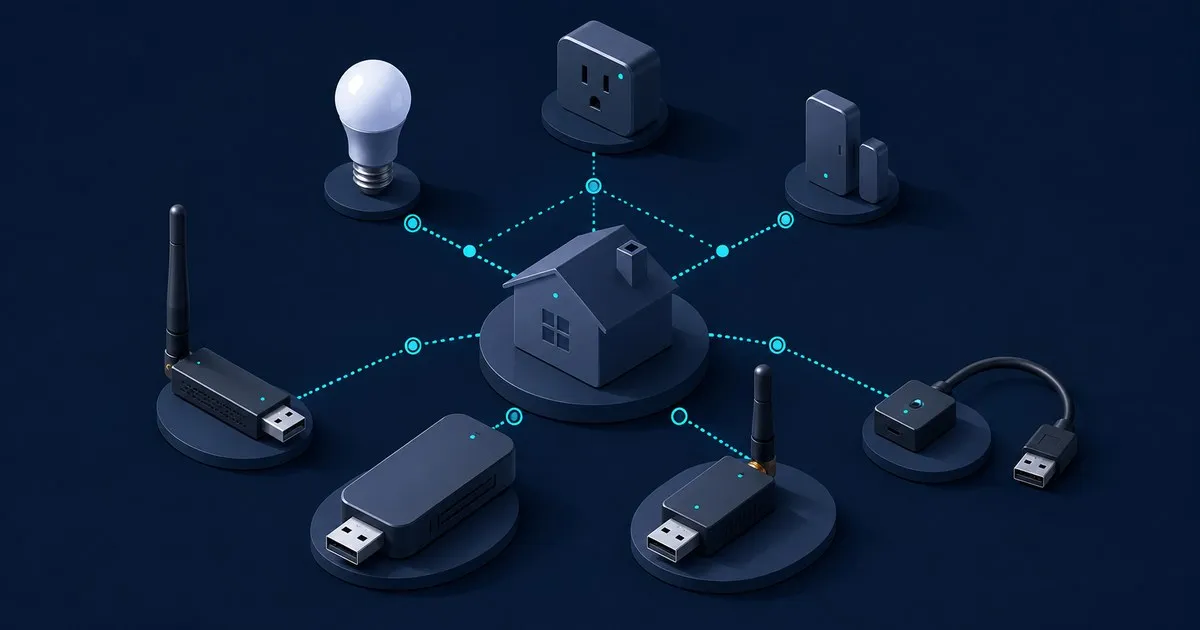
The best zigbee coordinator stick for most Home Assistant users is the Home Assistant Connect ZBT-2. It is the official ZHA recommendation, receives firmware updates through Home Assistant, and includes the cable needed to put the radio somewhere sensible. For Zigbee2MQTT, the SONOFF Dongle Plus MG24 is the better conventional USB-stick buy. If your mini-PC lives beside a NAS in a metal cupboard, skip USB and consider the wired SMLIGHT SLZB-06.
That is the short answer. The longer answer matters because changing coordinators can become an evening of re-pairing buttons while everyone asks why the lights stopped working.
Who this is for, and who should skip
This guide is for someone starting a ZHA or Zigbee2MQTT network, replacing an obsolete adapter, or moving Home Assistant onto a mini-PC. If a Connect ZBT-1, ZBDongle-P, or other supported coordinator already runs reliably, keep it. ZHA supports backups and radio migration, but “supported” is not the same as “zero-risk Saturday project” (Home Assistant documents the migration process).
Skip a new Zigbee stick if a vendor hub already handles your small setup without cloud or compatibility problems. Also, do not buy one radio expecting dependable simultaneous Zigbee and Thread service. Home Assistant explicitly recommends dedicating the ZBT-2 to one protocol, and Zigbee2MQTT does not support multiprotocol EmberZNet firmware.
Comparison criteria
This is a documentation-led buying guide, not a pretend range test in somebody else’s house. The useful criteria are ZHA and Zigbee2MQTT support, firmware maintenance, physical placement, and coordinator-backup support. Quoted open-air range is not ranked: even the ZBT-2 specifications note that building materials and placement affect connectivity.
| Coordinator | Radio stack | Host connection | Best fit | Main catch |
|---|---|---|---|---|
| Home Assistant Connect ZBT-2 | Silicon Labs MG24 / EmberZNet | USB-C, cabled base | ZHA and easiest ownership | Not really a stick; one protocol at a time |
| SONOFF Dongle Plus MG24 | Silicon Labs MG24 / EmberZNet | USB with extension cable | Zigbee2MQTT or ZHA in Docker | You own third-party firmware updates |
| SONOFF ZBDongle-P | TI CC2652P / zStack | USB | Conservative, inexpensive choice | Older design; confusingly similar product name |
| SMLIGHT SLZB-06 | TI CC2652P / zStack | Ethernet/PoE or USB | Server rack, VM, or awkward placement | More networked hardware to maintain |
Where each one wins
Connect ZBT-2: best overall for ZHA
Home Assistant says plainly that the ZBT-2 is the adapter to get for a new ZHA network. Its $49 recommended MSRP buys an MG24 radio, an optimized freestanding antenna, a 1.5-meter USB cable, setup wizard, and one-click updates. That is not the cheapest radio, but avoiding a separate flashing workflow is worth something. Choose this for Home Assistant OS, Green, or a dedicated ZHA host.
SONOFF Dongle Plus MG24: best actual USB stick
The Dongle Plus MG24 is the neat answer when “stick” is literal. SONOFF specifies an EFR32MG24 radio, bundled one-meter extension cable, preinstalled EmberZNet coordinator firmware, and support for Home Assistant and Zigbee2MQTT (official product page). Firmware changes use SONOFF’s browser flasher. It fits a compose v2 setup well; configure Zigbee2MQTT with adapter: ember and map a stable serial path.
SONOFF ZBDongle-P: best conservative value
The older ZBDongle-P remains a sensible buy when it is meaningfully cheaper. Zigbee2MQTT lists it as a pre-programmed CC2652P adapter under its supported zStack hardware. ZHA also supports CC2652P radios with coordinator firmware. Add a USB extension cable, and double-check that the listing says P, not E; SONOFF’s names have caused more avoidable confusion than the hardware deserves.
SMLIGHT SLZB-06: best when USB placement is bad
The SLZB-06 is not a stick, which is precisely why it sometimes wins. Its official specifications list a CC2652P radio plus wired Ethernet, PoE, USB, and web-based updates. Put it centrally on Ethernet while Home Assistant stays beside the NAS. Prefer wired Ethernet: Zigbee2MQTT warns that Wi-Fi network adapters can suffer from serial packet loss and latency (adapter guidance).
Hardware that works without unnecessary heroics
For a Beelink S12 Pro or GMKtec NucBox with an N100, use the ZBT-2 or either SONOFF adapter on an extension cable. The same advice applies to an Intel NUC 13. There is no meaningful coordinator performance prize for giving this job more CPU.
For a Synology DS923+, leave direct USB passthrough alone unless maintaining kernel modules sounds like recreation. Zigbee2MQTT notes that DSM 7 removed built-in support for USB Zigbee controllers. Run Home Assistant or Zigbee2MQTT on the mini-PC, use the Synology as the backup target, or use the SLZB-06 over wired Ethernet. The NAS is excellent at NAS work; let it enjoy that rare clarity of purpose.
Placement, networking, and operations
Use an extension cable, prefer USB 2.0 or a powered USB 2.0 hub, and keep the radio away from USB 3.0 devices. Those are also Home Assistant’s official interference precautions. In Docker, map /dev/serial/by-id/..., not whichever /dev/ttyUSB0 happened to appear at boot.
Keep Zigbee2MQTT, MQTT, and any coordinator web UI on the LAN or a trusted management VLAN. Do not raw port-forward them. For remote administration, use the Home Assistant access route you already trust or a Tailnet; adding a reverse proxy, ACME certificate, and another login solely for a coordinator dashboard is mostly extra failure surface. The portfolio’s sister site Tech Sentinel covers broader home-network security issues.
Update deliberately. ZBT-2 firmware can be managed in Home Assistant; SONOFF uses its flasher; SMLIGHT uses its web interface. For Zigbee2MQTT containers, take a backup, update the application and coordinator firmware separately, then read the logs. Watchtower is convenient until it changes the component that turns on every light in the house at breakfast.
Storage, backups, and the restore drill
ZHA creates automatic network backups. Send the full Home Assistant backup to the NAS and keep another copy off-site, as Home Assistant recommends. For Zigbee2MQTT, bind-mount its data directory and snapshot that dataset to the NAS; both zStack and EmberZNet adapters support coordinator_backup.json (Zigbee2MQTT backup support).
Do one restore drill before the network becomes important: restore the latest Home Assistant archive into a spare VM with the radio disconnected, or restore the Zigbee2MQTT data bind mount into a scratch directory. Confirm the configuration, database, network key, and coordinator backup are present, then shut the scratch copy down. This verifies the backup without accidentally running two controllers against one radio.
Practical buying recommendation
For a 24-hour build on an N100 mini-PC, buy the Connect ZBT-2 and use ZHA. It has the lowest ongoing complexity, which beats winning a chipset argument on a forum. Choose the SONOFF Dongle Plus MG24 if Zigbee2MQTT is already part of the plan. Choose the SLZB-06 only when wired placement solves a real physical problem. If a ZBDongle-P is already working, buy nothing and spend the money on a few mains-powered Zigbee routers instead.
Related on this site
- ZHA vs Zigbee2MQTT: software and migration tradeoffs
- Add Zigbee2MQTT to Home Assistant
- Home Assistant hardware and radio placement
Related across the network
- Thread border router guide — matterhomelab.com
- Thread vs Zigbee: how the meshes differ — matterhomelab.com


